Veelvoorkomende Problemen voor Bloggers/Auteurs Bij het Starten van een Nieuwe WordPress post
Een van de grootste uitdagingen voor bloggers of contentmakers bij het gebruik van een nieuwe WordPress-installatie is het wennen aan de blokeditor (Gutenberg) . Hoewel deze editor flexibiliteit biedt bij het opbouwen van content via modules, vinden veel gebruikers vooral beginners het lastig om ermee te werken. Enkele veelvoorkomende problemen zijn:
- Steile leercurve : Wie gewend is aan de klassieke editor (vergelijkbaar met MS Word) raakt vaak in de war door het concept van “blokken” voor alinea’s, afbeeldingen of andere elementen. Het toevoegen, verwijderen of positioneren van blokken is niet altijd intuïtief.
- Inconsistente opmaak : Bij het wisselen tussen blok- en klassieke modus kunnen tekstopmaak (koppen, lijsten, tabellen) onbedoeld veranderen, vooral als de logica van Gutenberg niet goed begrepen wordt.
- Beperkingen bij basisfuncties : Eenvoudige acties zoals kopieer-plak vanuit Word of iWork leiden vaak tot rommelige opmaak in de blokeditor, wat handmatige correcties vereist.
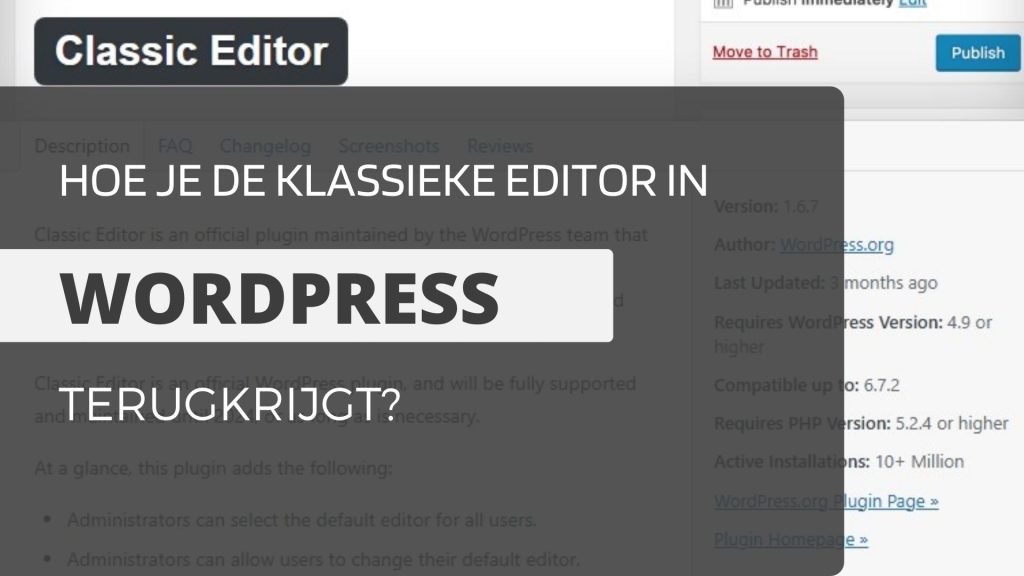
Oplossing: Installeer de Classic Editor-plugin
Om deze problemen te verhelpen, is het installeren van de Classic Editor-plugin een praktische oplossing. Deze plugin herstelt de vertrouwde klassieke editor, vergelijkbaar met Microsoft Word of Apple Pages. Met de klassieke editor:
- Kunnen auteurs lineair schrijven en bewerken zonder blokstructuur te hoeven begrijpen.
- Wordt opmaak (vet, cursief, koppen) en het invoegen van media intuïtiever, net zoals in tekstverwerkingssoftware.
- Verkleint het risico op rommelige opmaak bij het plakken vanuit externe documenten.
Deze plugin is eenvoudig te installeren via het WordPress dashboard en laat bloggers toe zich te focussen op creativiteit, zonder technische hindernissen. Ideaal voor beginners of wie liever niet met Gutenberg werkt!
Het installeren en instellen gaat als volgt:
1. Wanneer u een nieuw bericht op WordPress start, krijgt u een weergave te zien zoals hieronder:
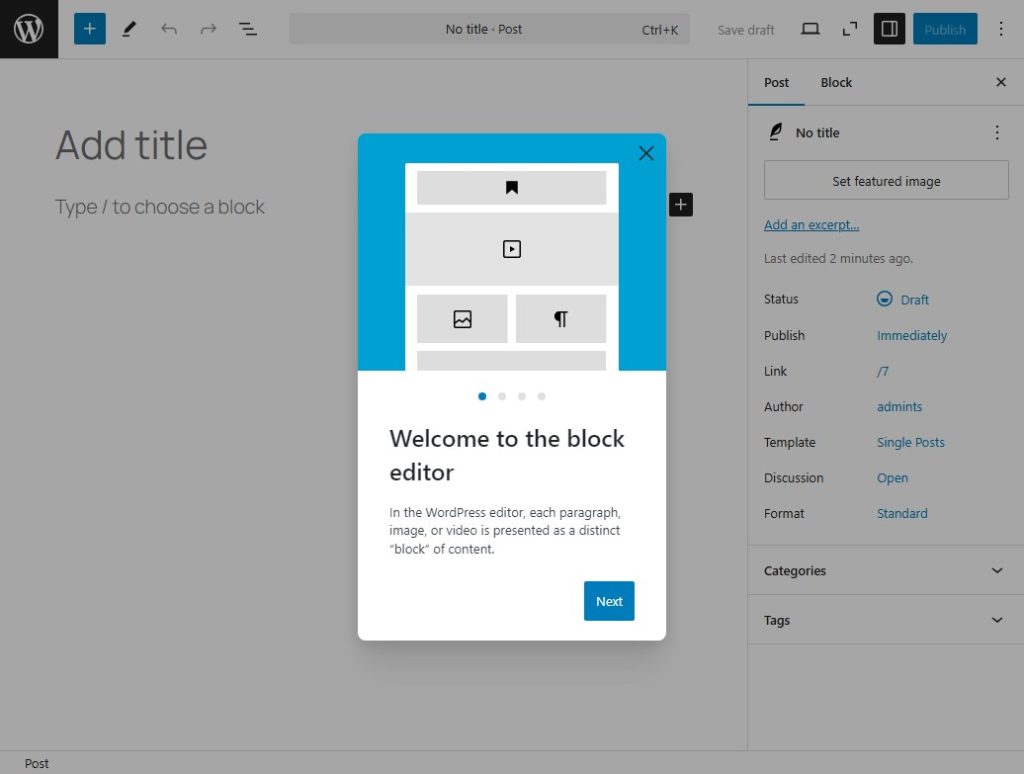
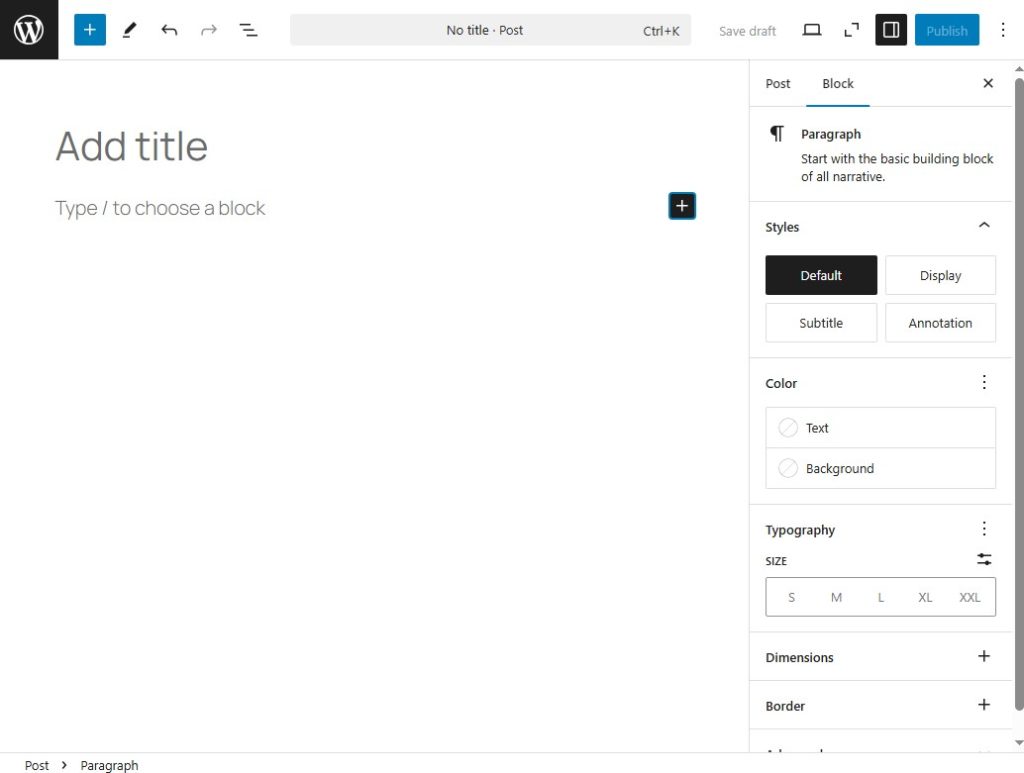
2. Sommige mensen zijn gewend aan deze look, anderen niet.
3. Ga terug naar het hoofdscherm door op de W-knop te klikken, zoals weergegeven in de onderstaande afbeelding:
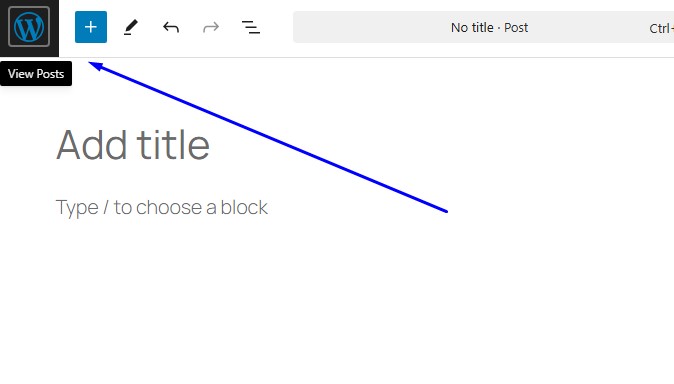
4. Dan verschijnt er een pop-up, klik op verlaten:

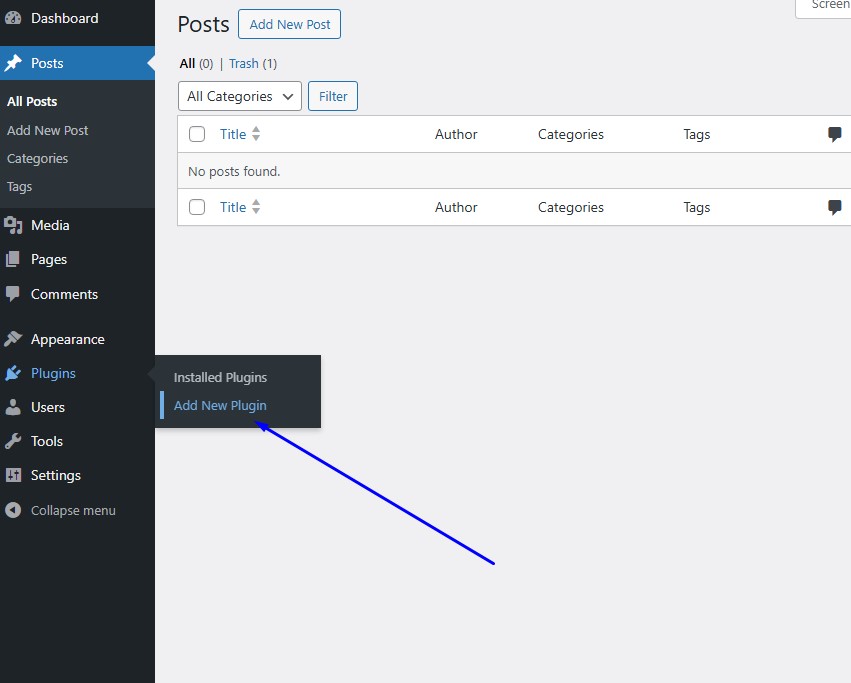
5. Nadat u het hoofddashboard hebt verlaten, klikt u op ‘Nieuwe plugin toevoegen’ om de installatie van de klassieke editor-plugin te starten:
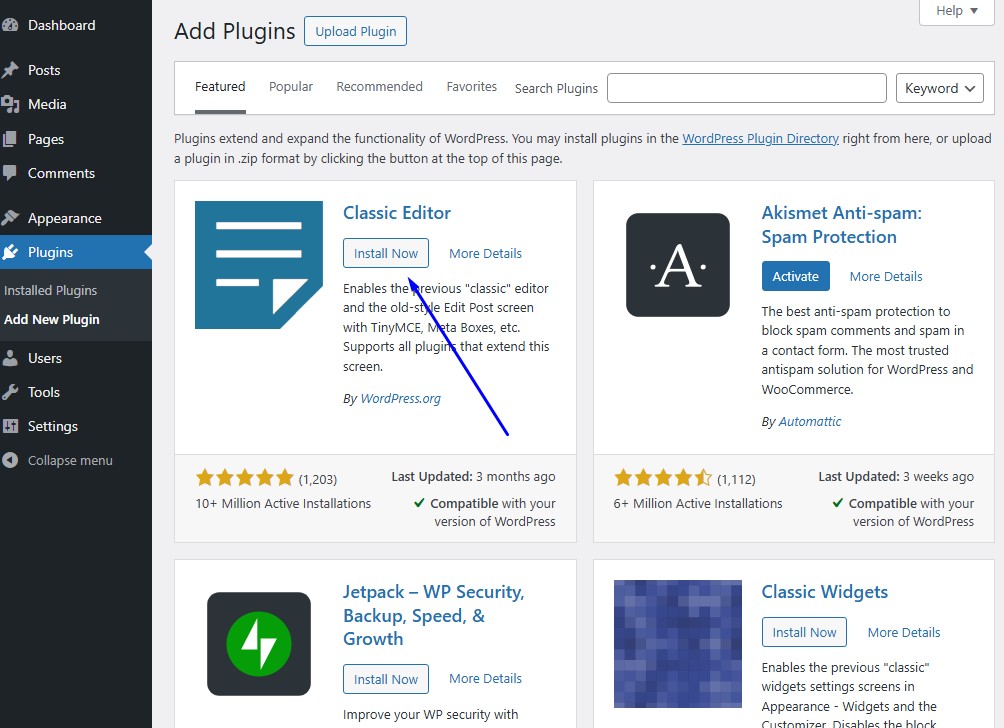
6. Nadat u hebt geklikt, komt u op de plug-inpagina. Klik op ‘Nu installeren’ zoals weergegeven in de onderstaande afbeelding:
7. Wacht tot het klaar is en klik vervolgens op Activeren om de editor direct toe te passen, zodat deze gebruikt kan worden:

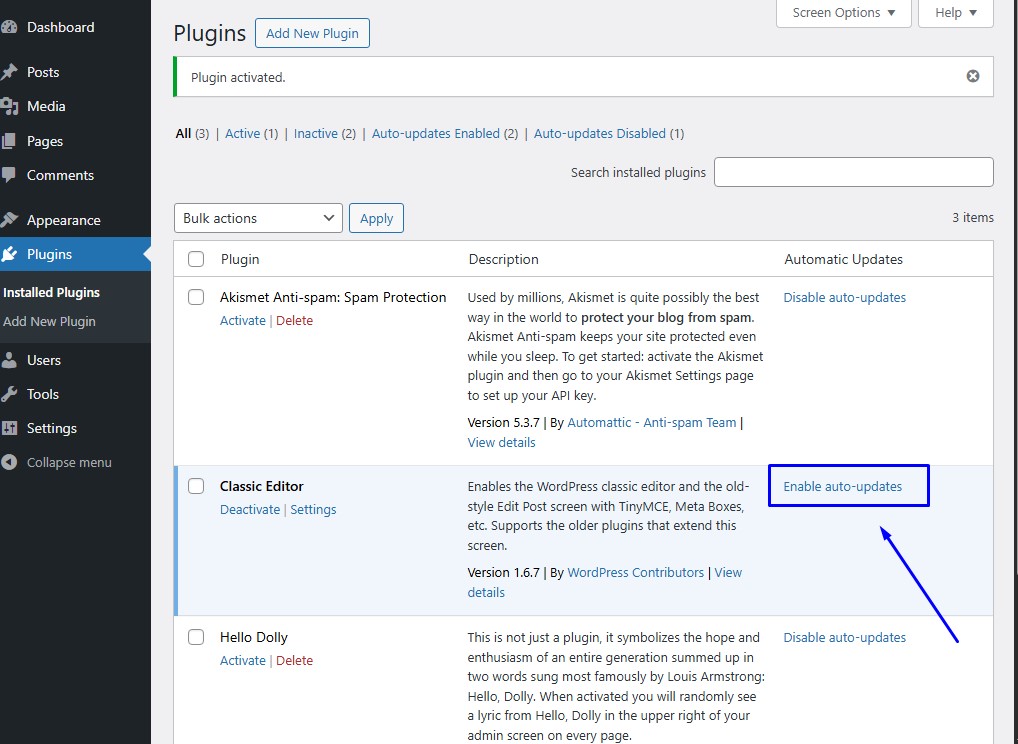
8. Zodra u de plugin heeft geactiveerd, wordt u uitgenodigd om naar de lijstpagina met geïnstalleerde plugins te gaan. Klik daar op Automatische updates inschakelen, zodat u geen updates mist die uw website kwetsbaar maken voor de beveiliging:
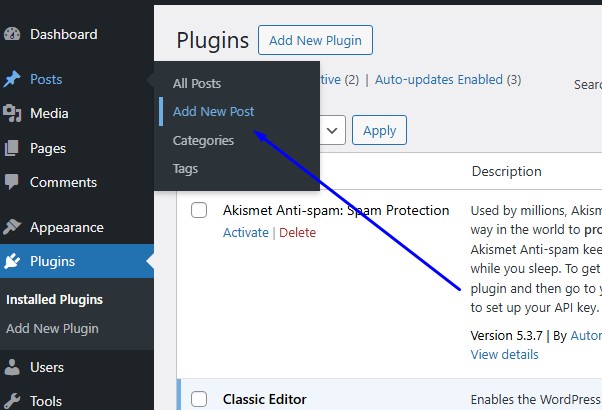
9. Probeer daarna een nieuw bericht te maken door op de knop te klikken zoals weergegeven in de onderstaande afbeelding:
10. Zodra de pagina is geopend, klikt u op de wisselknop om te zien welke functies beschikbaar zijn in deze klassieke editor:
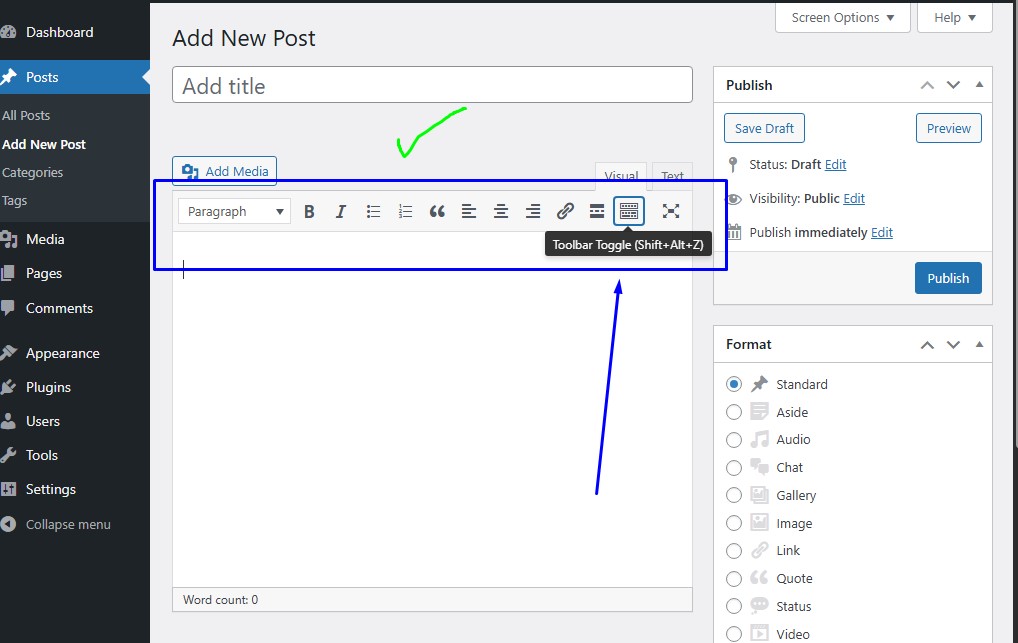
11. Dan opent alles zich zoals in de onderstaande afbeelding:
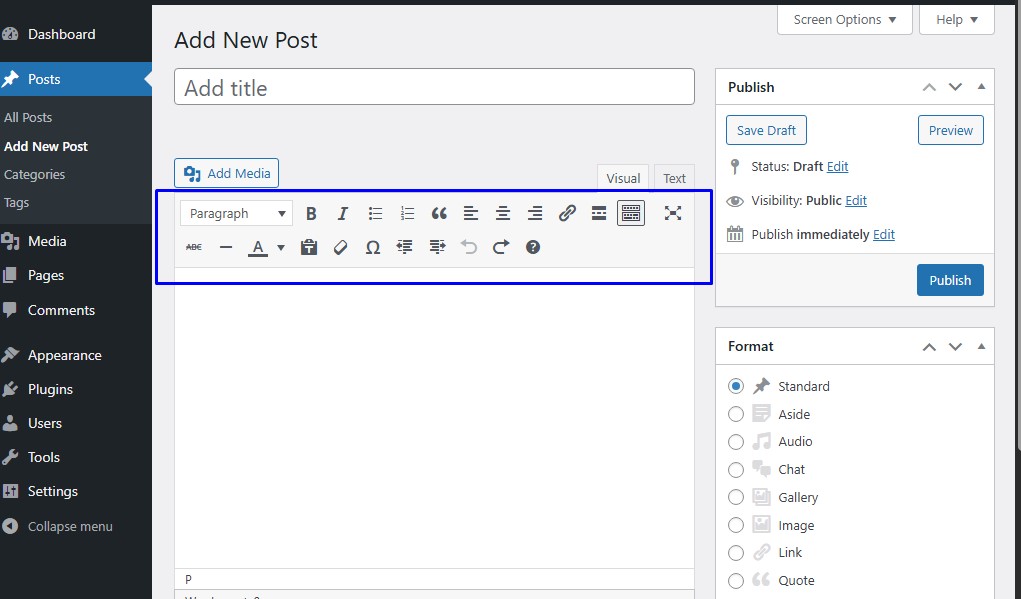
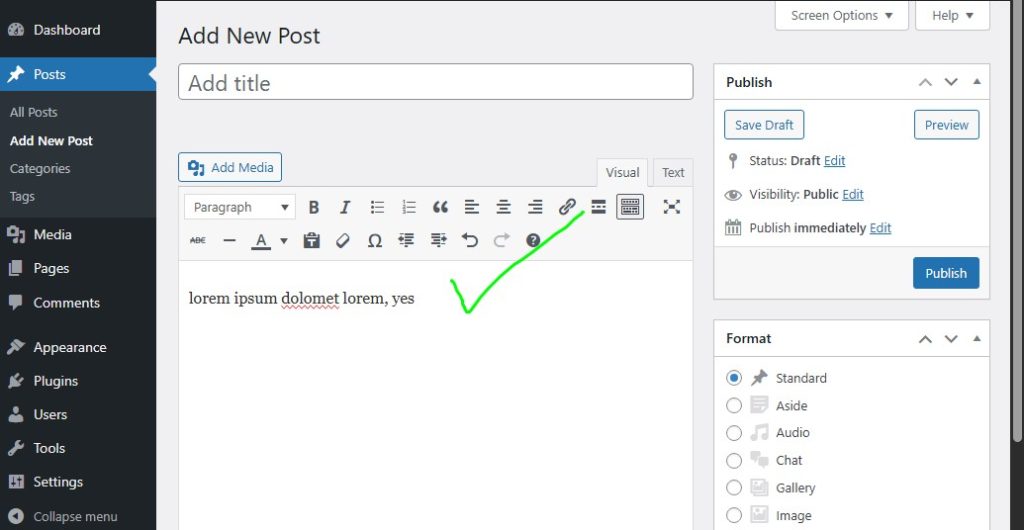
12. Gefeliciteerd, u hebt de klassieke editor van WordPress succesvol gebruikt. Probeer er iets in te typen:
Dit zijn een aantal stappen die u kunt nemen om de klassieke editor van WordPress eenvoudiger en efficiënter te gebruiken. Mocht u ooit problemen ondervinden of verdere hulp nodig hebben bij het beheren, ontwerpen of optimaliseren van uw WordPress-website, neem dan gerust contact met mij op!
👉 Heeft u behoefte aan WordPress-gebaseerde websitecreatiediensten?
Ik help u graag bij het maken van een professionele, snelle en SEO-vriendelijke website die aansluit bij uw zakelijke of persoonlijke behoeften. Van ontwerp tot technische serverconfiguratie: wij regelen alles met de juiste oplossing voor u.
📩 Neem nu contact met mij op:
Stuur een bericht via Hotline / Whatsapp +6283834418700 voor een gratis consult. Laten we vandaag nog uw droomwebsite verwezenlijken!
Samen bouwen we aan een krachtige online aanwezigheid!
🌐 Your Expert WordPress Setup & Performance Optimizer
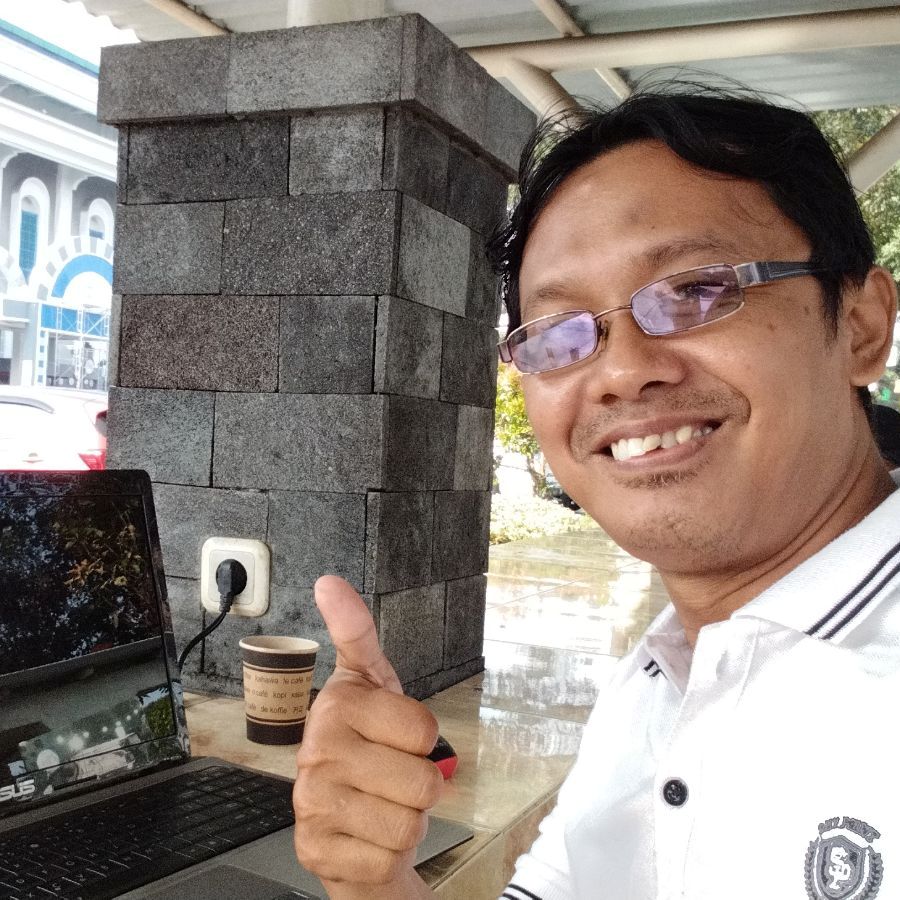
Hello! I’m Arifin, a seasoned WordPress Specialist based in Sidoarjo, East Java, Indonesia, dedicated to delivering fast, secure, and professionally installed websites.
Are you looking for a hassle-free launch or a significant performance boost for your WordPress site? With deep experience in both frontend theme implementation and critical backend server tuning, I ensure your project is built on a solid foundation, ready for success.
My Core Expertise & Services:
| Service Category | What I Deliver | Key Benefits |
| Premium Theme Installation & Licensing | Expert installation and configuration of premium themes (e.g., ThemeForest). I handle license activation, ensuring compliance and smooth functionality from day one. | Professional look, full feature access, and proper licensing setup. |
| Seamless Website Migration | Stress-free transfer of your complete website from one hosting provider to another, guaranteeing zero data loss (except emailing list) and minimal downtime. | Reliable move, ready for a new hosting environment. |
| Advanced Plugin Conflict Resolution | Troubleshooting and fixing complex plugin conflicts (like LSCache vs. WP-Optimize), ensuring all performance and utility plugins work harmoniously without breaking your site. | Optimized performance and site stability without costly errors. |
| Critical Security Implementation (SSL/TLS) | Setting up and enforcing SSL/TLS certificates to secure your connection, protect against hacking threats, and build user trust. | Enhanced security, improved SEO, and “secure” browser status. |
| Backend & Server Performance Tuning | Expert configuration of PHP settings (increasing upload size, enabling GZIP compression, adjusting PHP version) to ensure optimal server resource allocation and lightweight WordPress loading. | Dramatically improved website loading speed and reliability. |
| Hosting & Domain Management | Custom Email Setup: Creating professional domain-specific email addresses and setting up reliable email forwarders. Infrastructure: Managing custom data uploads via File Manager and creating subdomains. | Full control over your digital identity and development environment. |
Why Choose Me?
I go beyond simple installation. I deliver a fully optimized, secure, and ready-to-launch website. My commitment is to resolve the technical headaches, especially plugin conflicts and server-side performance issues, so you can focus purely on your content and business.
🌍 Global Reach & Support
I proudly serve your websites worldwide, supporting clients and projects from the US, Canada, Australia, Norway, Luxembourg, Netherlands, Croatia, Scotland, Dubai, Qatar, and many more international locations. Distance is not a barrier to achieving peak website performance!
📞 Ready to Boost Your Website’s Performance?
For immediate consultation and quick support, feel free to reach out directly via WhatsApp.
WhatsApp (Arifin): +62 838-3441-8700
⬇️ Click to Chat Now! ⬇️
Start Your Free Website Consultation
I’ve helped entrepreneurs, bloggers, agencies, and corporate teams transform basic WordPress installs into fully optimized, high-performing websites — without unnecessary complications or upsells. SEO isn’t guesswork for me… it’s architecture. Every setting has a purpose, every article is built to rank, and every site gets the foundation it deserves.
Outside of the keyboard, I share insights and professional journey through my LinkedIn profile:
(linkedin.com/in/shoumal-arifin-b432a3286) — feel free to connect if you like straightforward WordPress talk with a side of dry humor.
If you want a website that’s not just “installed” but intelligently engineered and future-proofed for search engines, I’m your guy. My philosophy is simple:
Good design makes a site look nice. Good SEO makes a site unforgettable.
Let me handle the complicated stuff so you can focus on what you do best, running your business.
Your website deserves more than a theme. It deserves an expert.
=============================================================